
In Crowdfundly, you can give tips for any reward based campaign or donation based campaign by following these steps.
Step 1: Choose Any Campaign In Crowdfundly
Log into your account in Crowdfundly and select the campaign you want to contribute to. Hit the ‘Back It’ button (in case of a reward-based campaign) or the ‘Contribute Now’ button (in case of a donation-based campaign).

Step 2: Give Tips In Crowdfundly Campaigns
On the amount page, you can choose a preset amount or give a custom contribution amount and hit ‘Continue’. It will take you on another page. Now if you want to give tips then click on the Tip Amount input field. On the next page, you can choose a tip amount or add your own custom amount. To complete your contribution transaction, provide other additional information, and click ‘Contribute ($X)’.
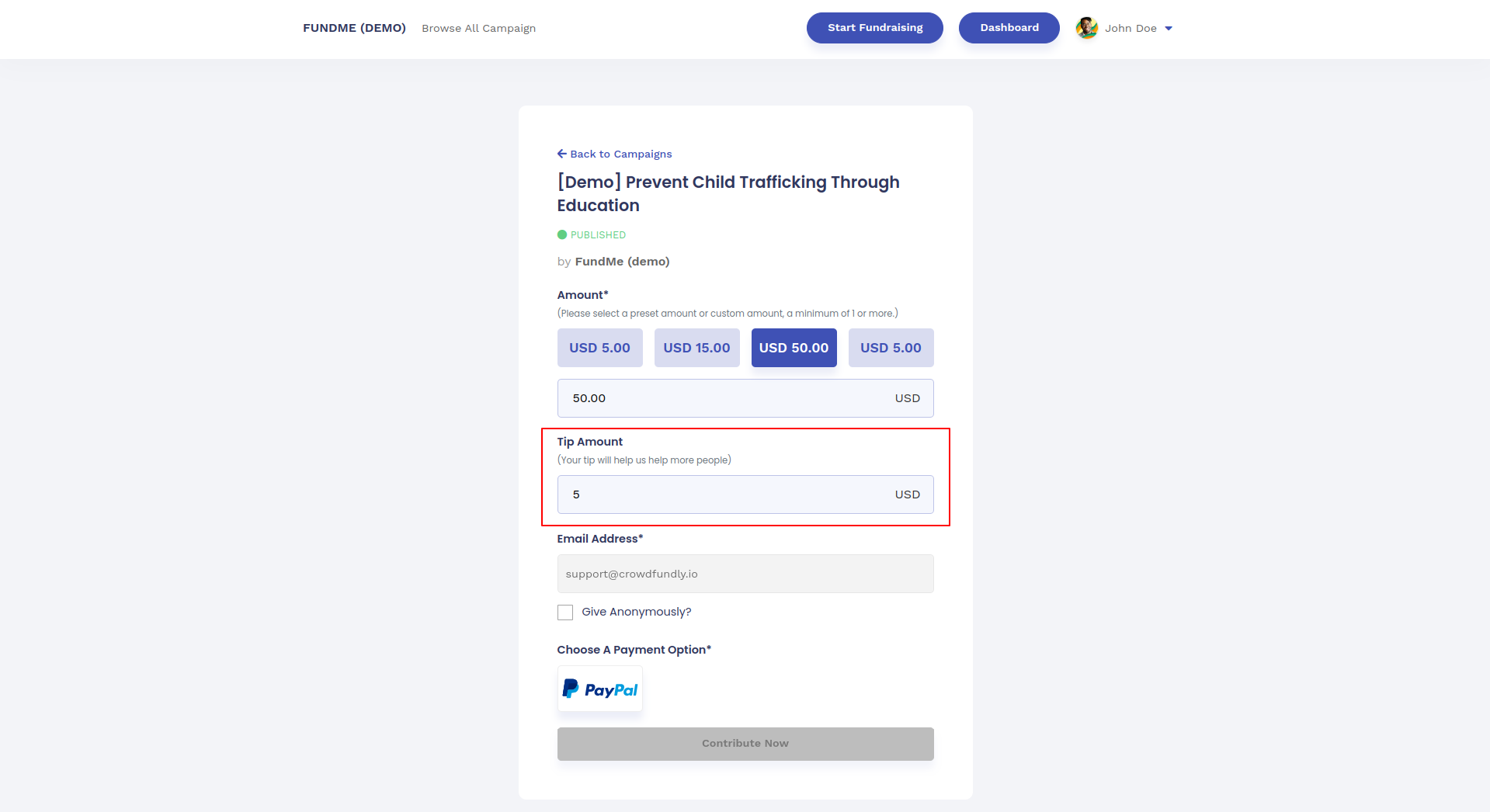
This is how you can give tips in Crowdfundly. If you face any difficulties, feel free to contact us for further assistance.